
How do I work with brands as a creator?
Creator Studio is home for approved creators: your profile, the campaign requests open to you and the proposals you sent.
Open this page 4 steps
-
Open Market in the left rail and click Creator Studio.
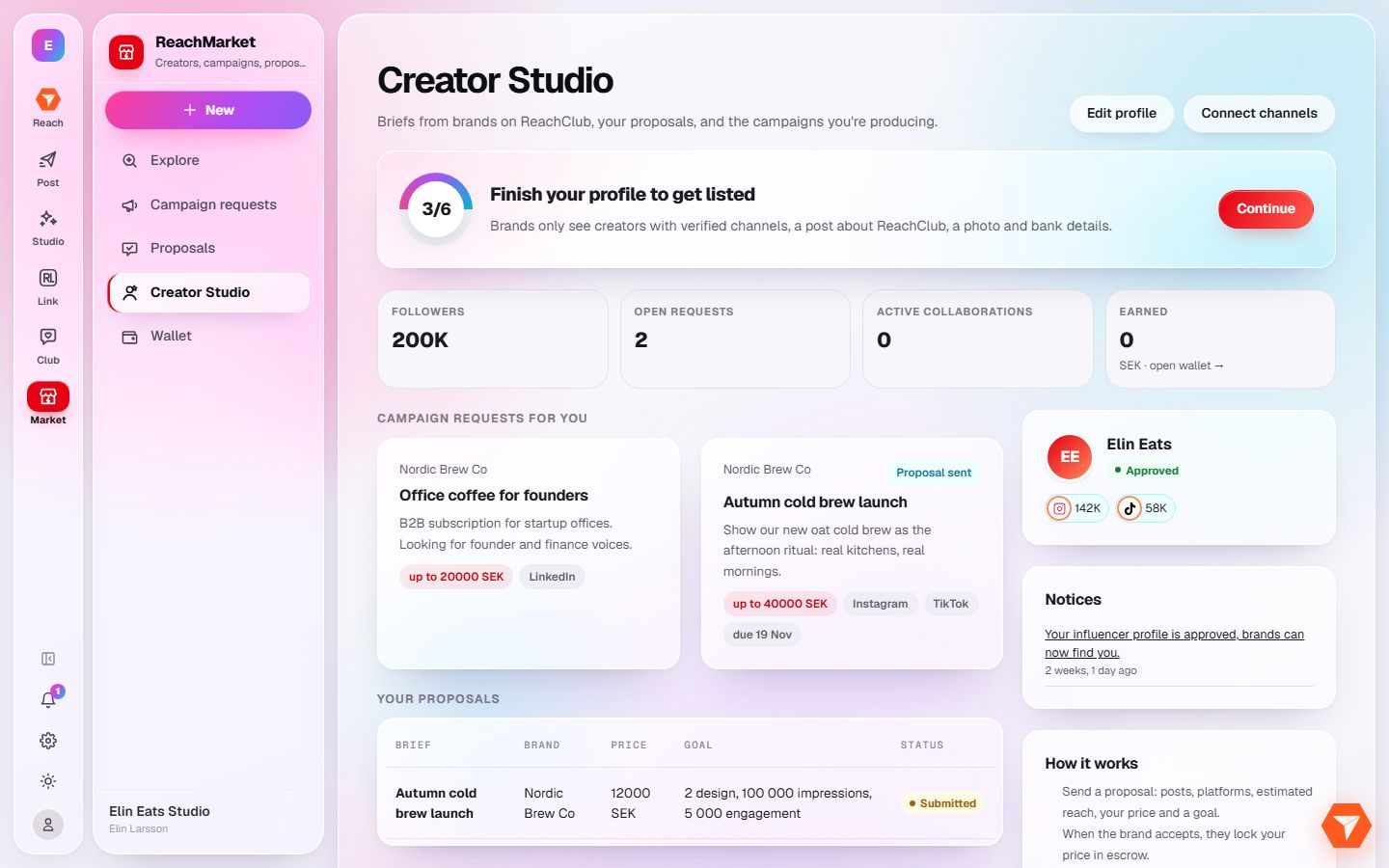
What you should see: Your creator home opens.
-
Finish your profile. Brands only see creators with a complete profile.
What you should see: The banner disappears once every step is done.
-
Click a campaign request to read the brief and send a proposal.
What you should see: The brief opens with a form for your offer and your price.
-
Follow your sent proposals under Proposals in the sidebar.
What you should see: Each proposal shows where it stands: waiting, active or closed.