
How do I switch between light and dark mode?
ReachClub comes in light and dark. It can also follow the setting of your device.
Open this page 3 steps
-
Open My account and click Preferences.
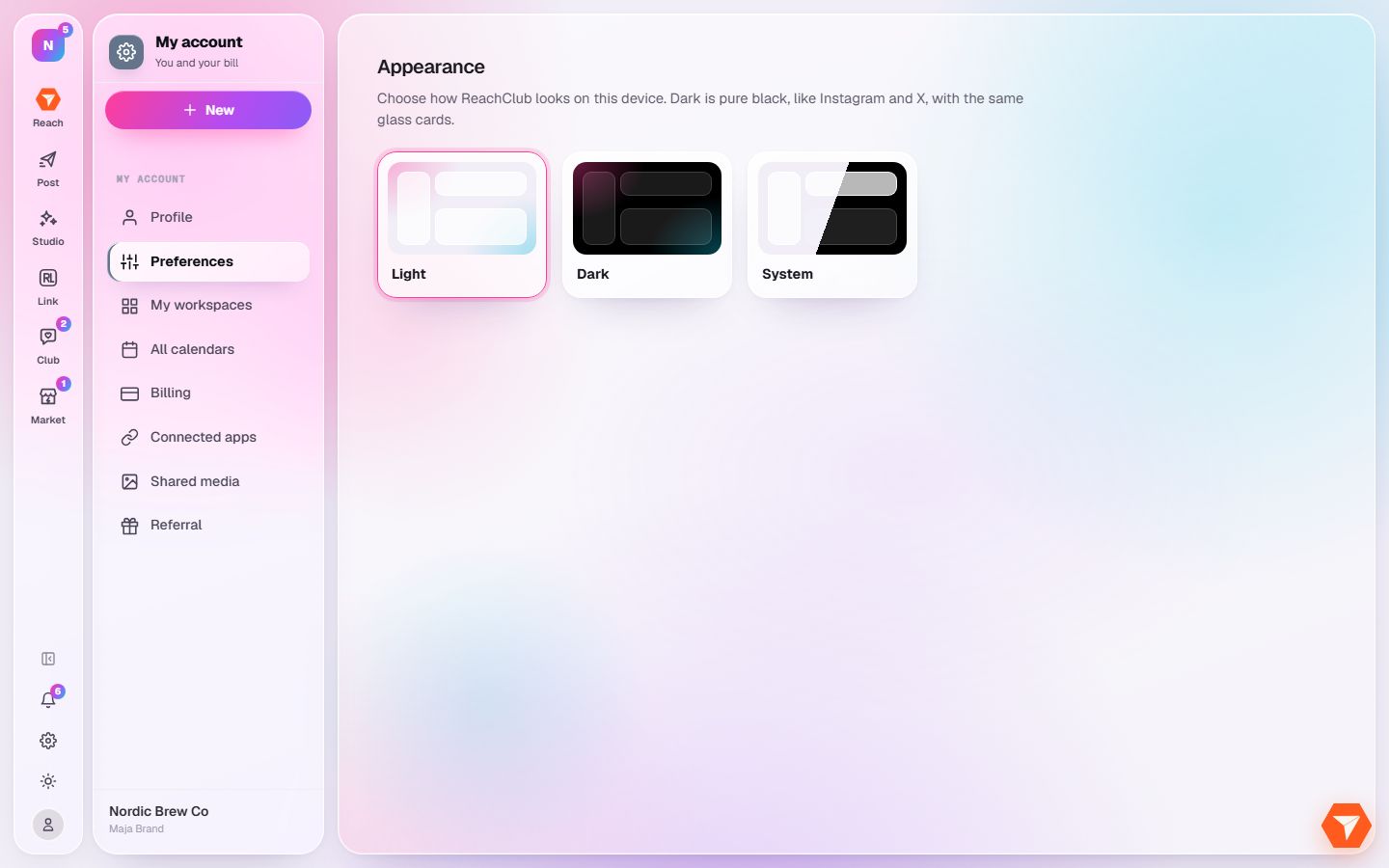
What you should see: The appearance choices are shown.
-
Click Light, Dark or System.
What you should see: The whole app changes at once. System follows your device.
-
For a quick switch from any page, click the sun icon in the left rail.
What you should see: Each click moves to the next mode.