
Where do I find my drafts and my queue?
The List view of Publish sorts your posts into Queue, Drafts, Approvals and Sent.
Open this page 3 steps
-
Open Publish and click List at the top right.
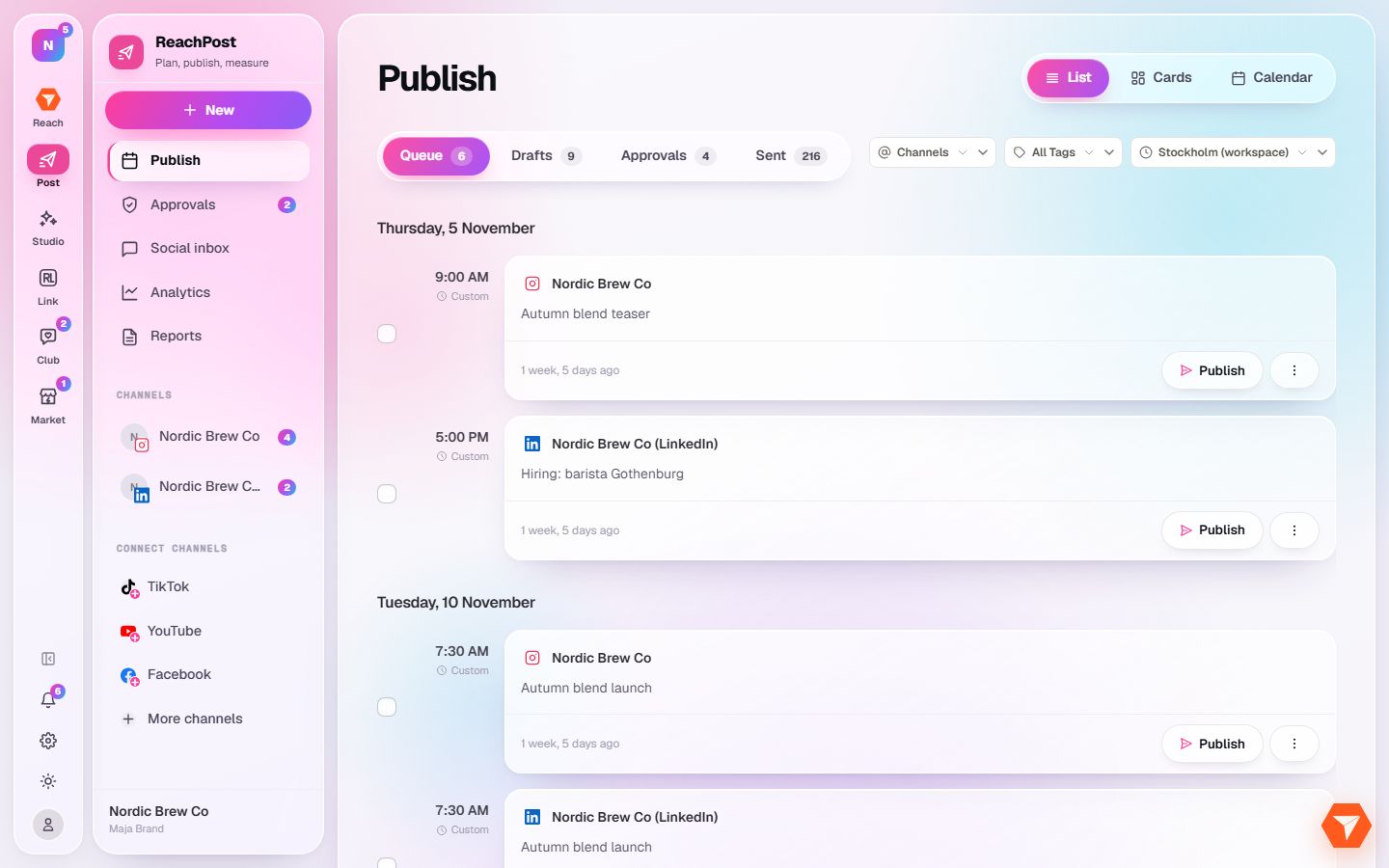
What you should see: The calendar turns into a list, grouped by day.
-
Click Queue, Drafts or Sent.
What you should see: The list shows only the posts in that state. The number on a tab is how many there are.
-
Click Publish on a queued post to send it right away instead of waiting.
What you should see: The post goes out to its channels and moves to Sent.