
How do I start a post from a template?
Templates give you a proven structure to fill in, so you never start from a blank page.
Open this page 4 steps
-
Open Studio in the left rail and click Templates.
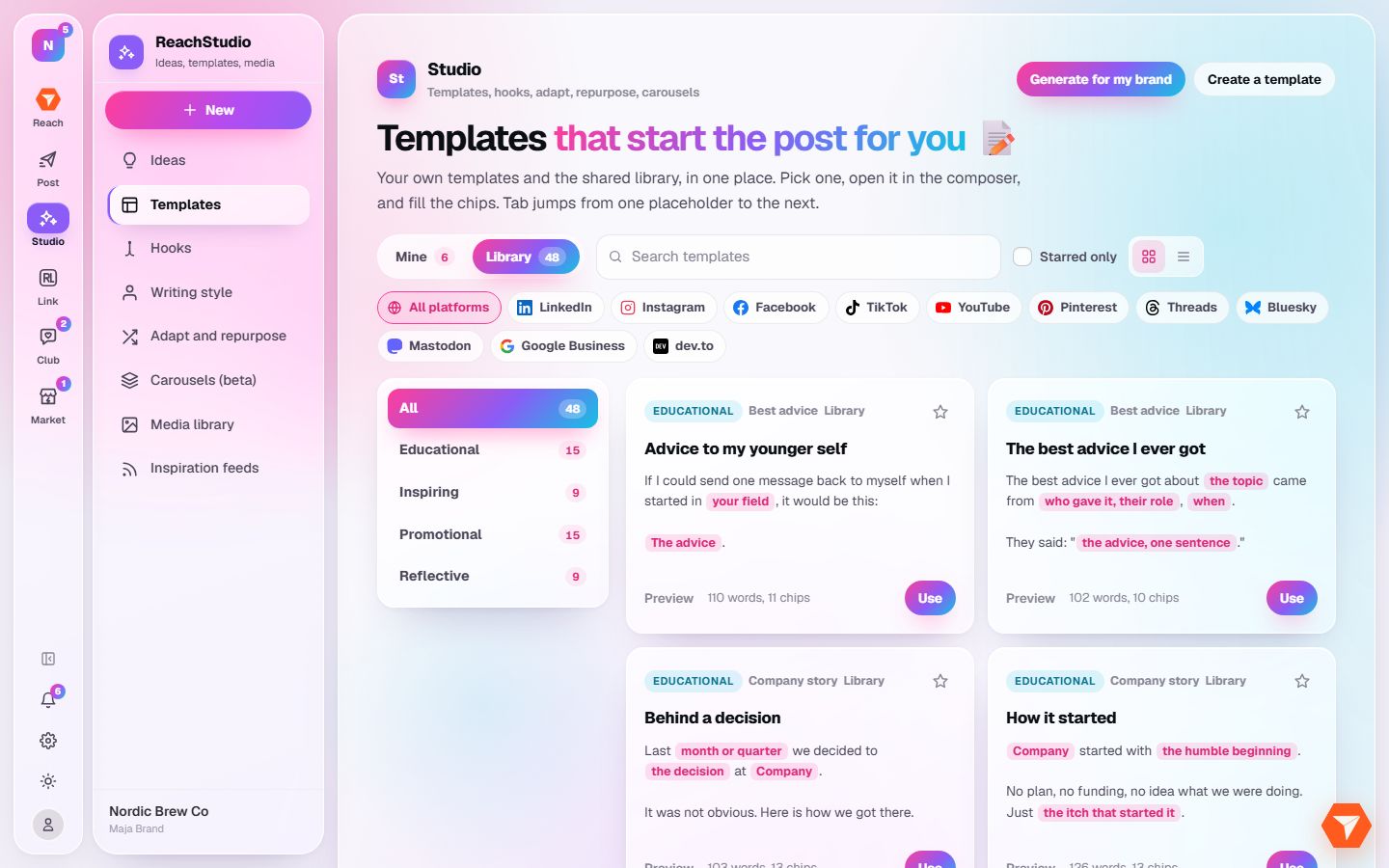
What you should see: The template library opens.
-
Pick a platform, or a family on the left, to narrow the list.
What you should see: Only matching templates are shown.
-
Click Preview to read a template, then Use to start a post with it.
What you should see: The composer opens with the template in the caption, ready for your words.
-
Click Generate for my brand to get templates written for your own brand.
What you should see: New templates appear under Mine, in your brand's voice.